DollflowAppointment
The complete guide

Run your booking business with Dollflow

Set up services, accept bookings and payments, manage your team, fill cancellations from the waitlist, and keep customers informed—all inside Shopify.

Built for ShopifyFive languagesMobile friendlyAutomatic emails
1

Set up Dollflow

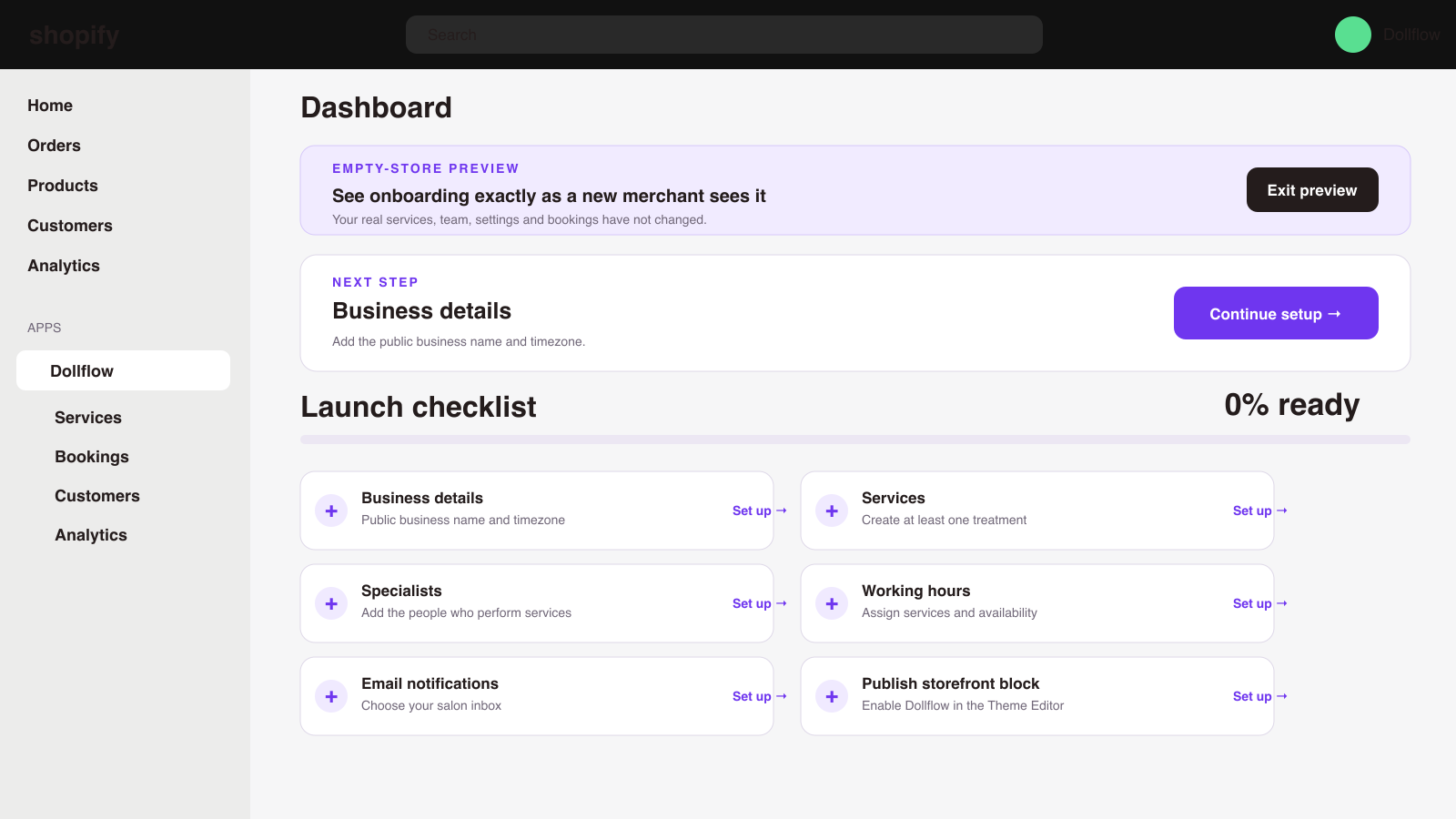
Follow the launch checklist, add services and specialists, choose working hours, connect notifications and publish the storefront booking block.

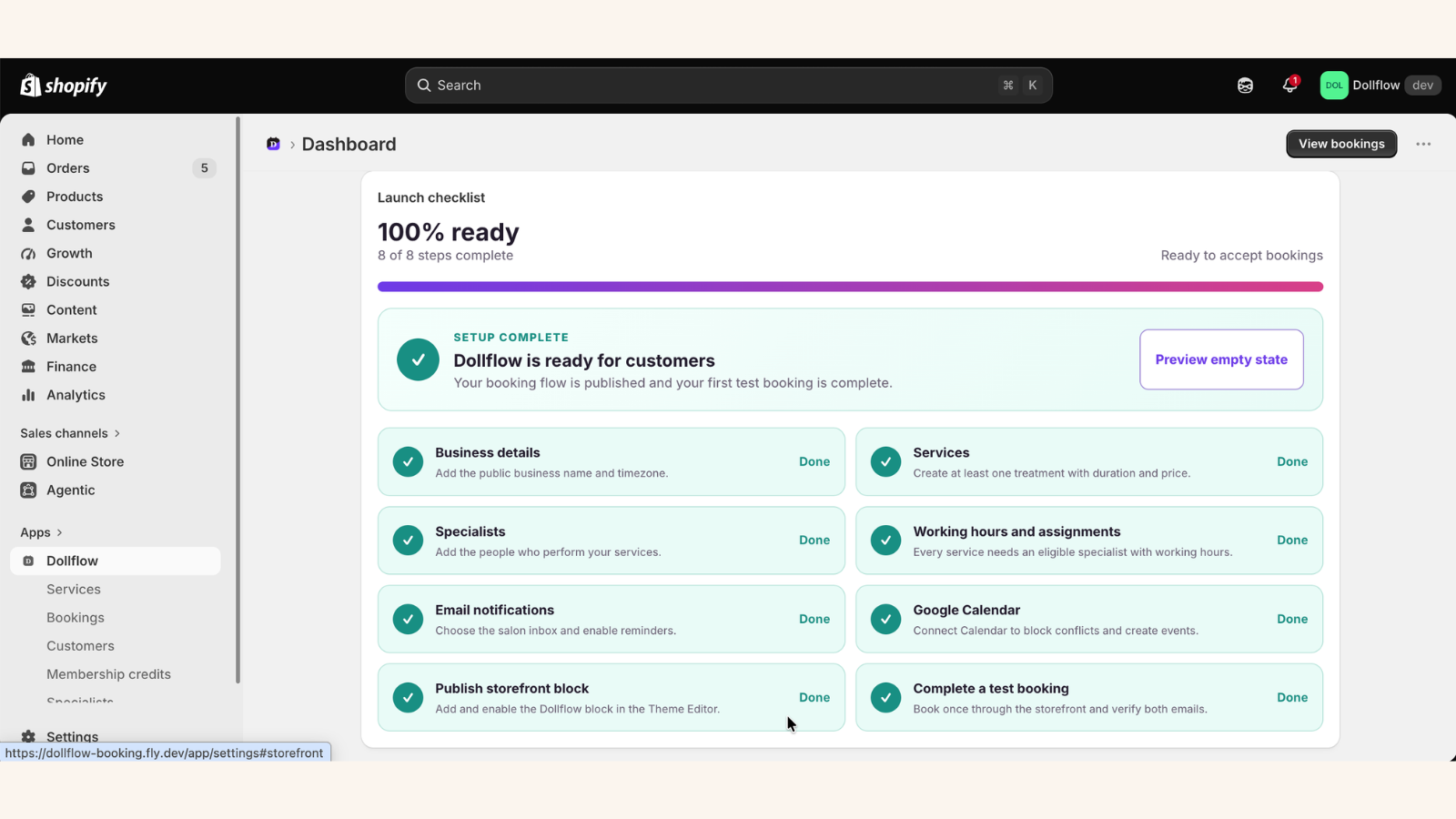
Start with the dashboardThe checklist shows exactly what is ready and what still needs attention.
Create or import treatmentsAdd services manually or connect existing Shopify products without entering them again.
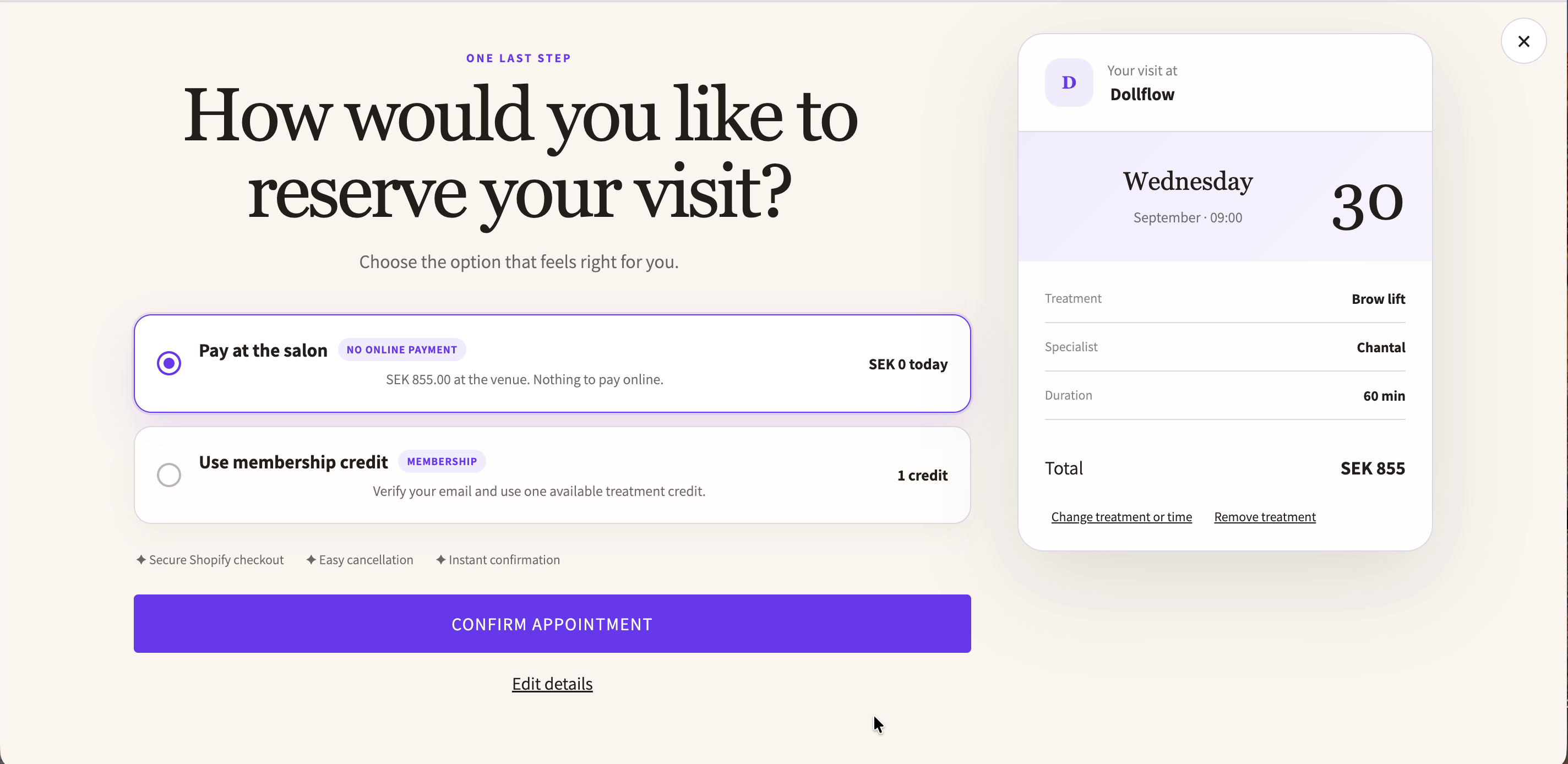
Choose payment rulesUse full online payment, a deposit, or payment at the venue for each service.
2

The customer booking flow

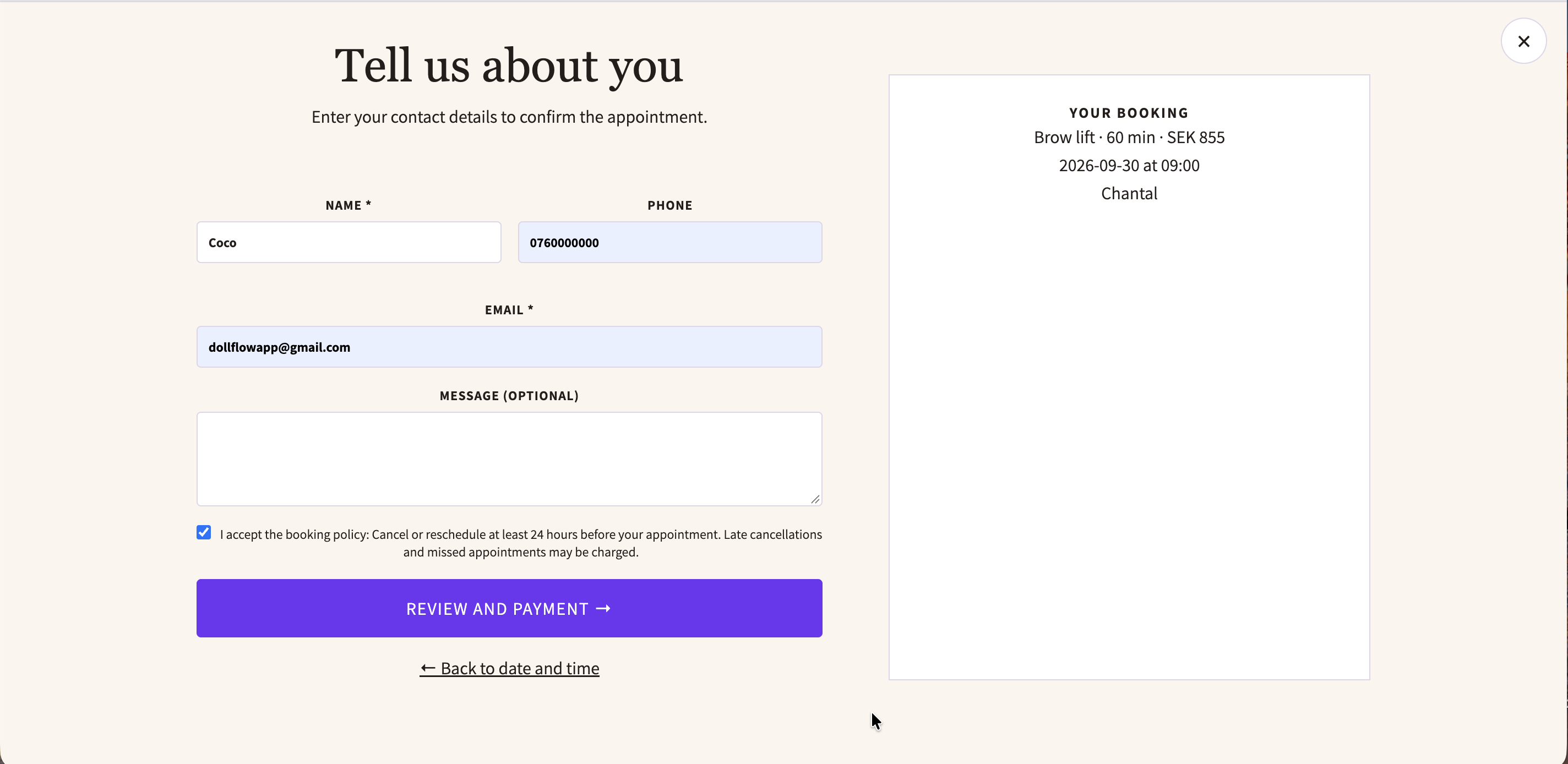
Customers choose a service, date, specialist and genuinely available time. They then enter their details, accept your policy and choose an available payment method.
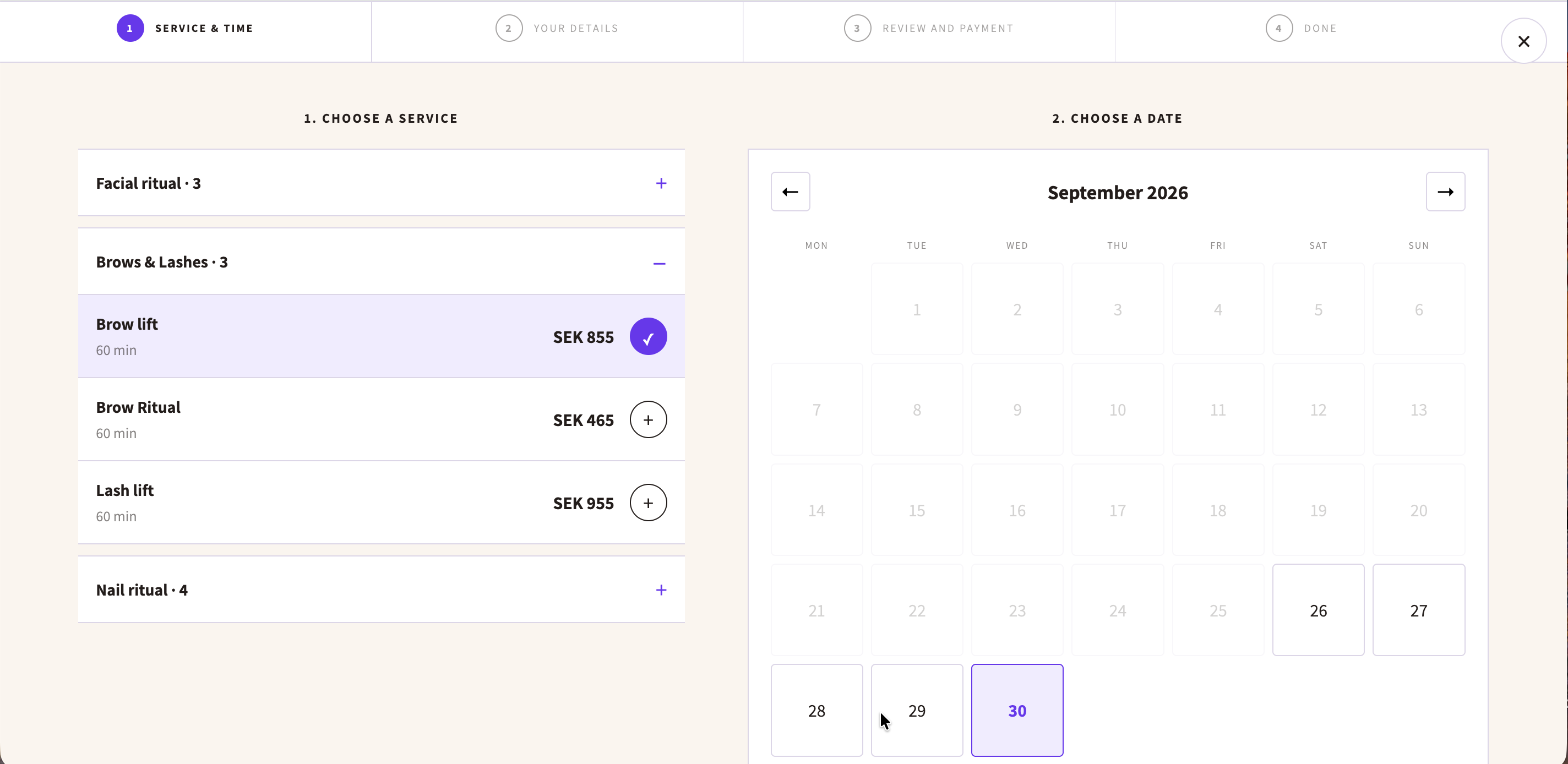
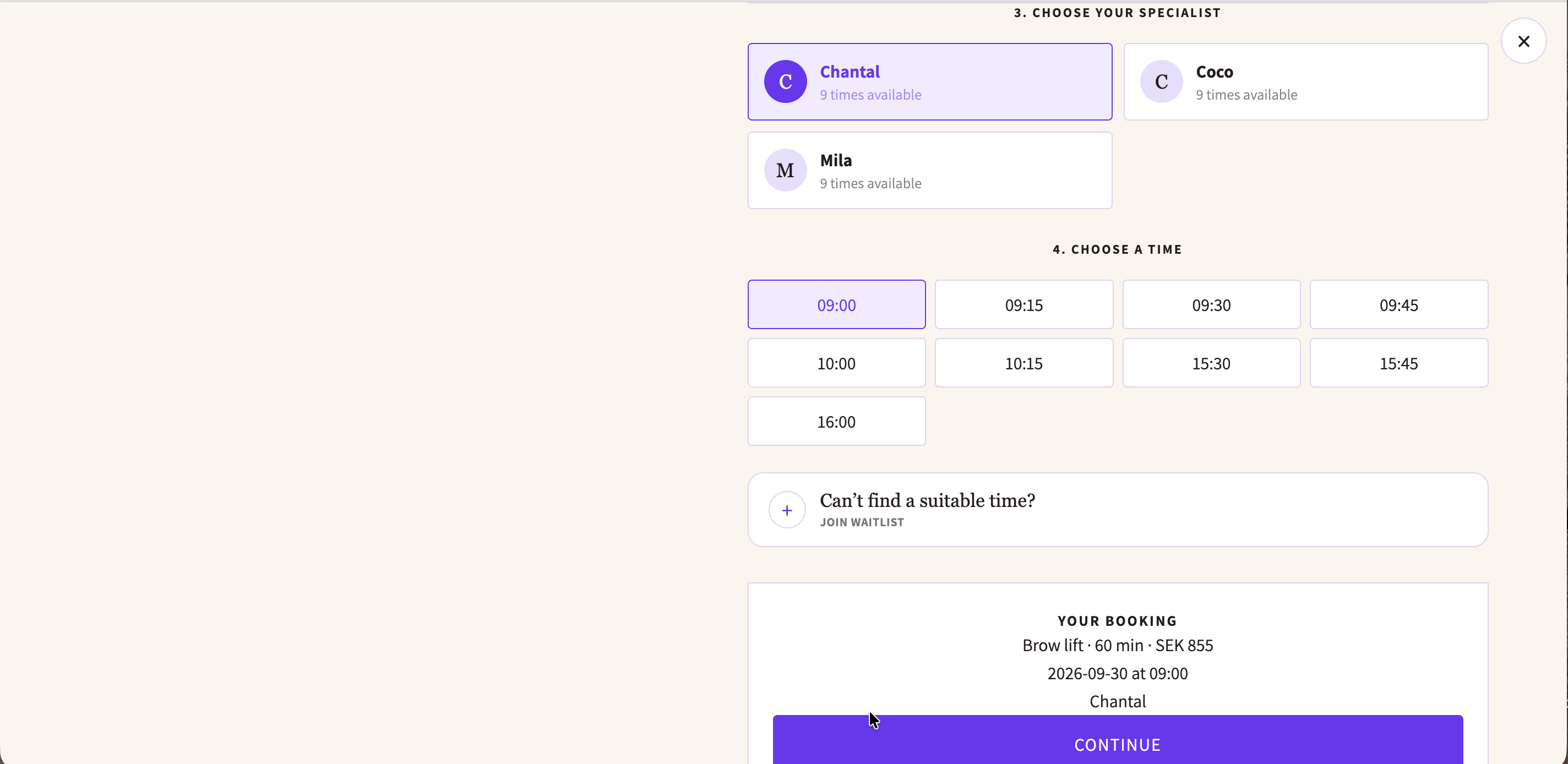
Availability is checked before booking.Dollflow considers working hours, existing appointments, calendar conflicts and active waitlist holds.
3

Manage bookings and payments

Search and filter appointments, review payment status, record venue payments, refund eligible Shopify payments, cancel bookings and create recurring visits.

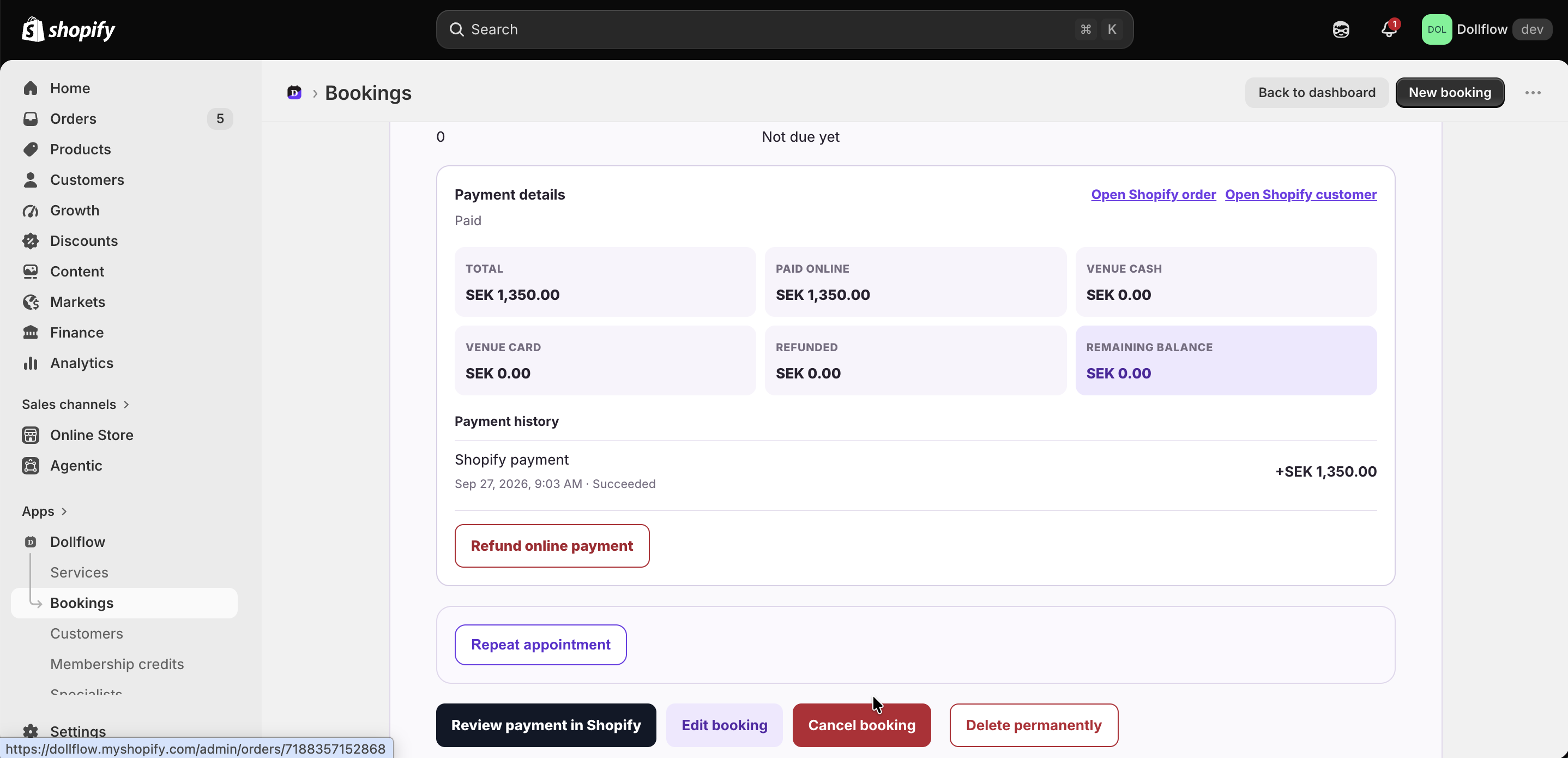
Recurring appointmentsCreate weekly, every-two-weeks or monthly future visits. Each visit is a separate booking that can be managed individually.
Clear payment recordsSee the total, paid online, paid at venue, refunded and remaining balance.
Refund before permanent deletionIf an appointment was paid online, refund the eligible amount first. Then cancel or permanently delete the booking when you no longer need its record.
4

Fill cancellations with the waitlist

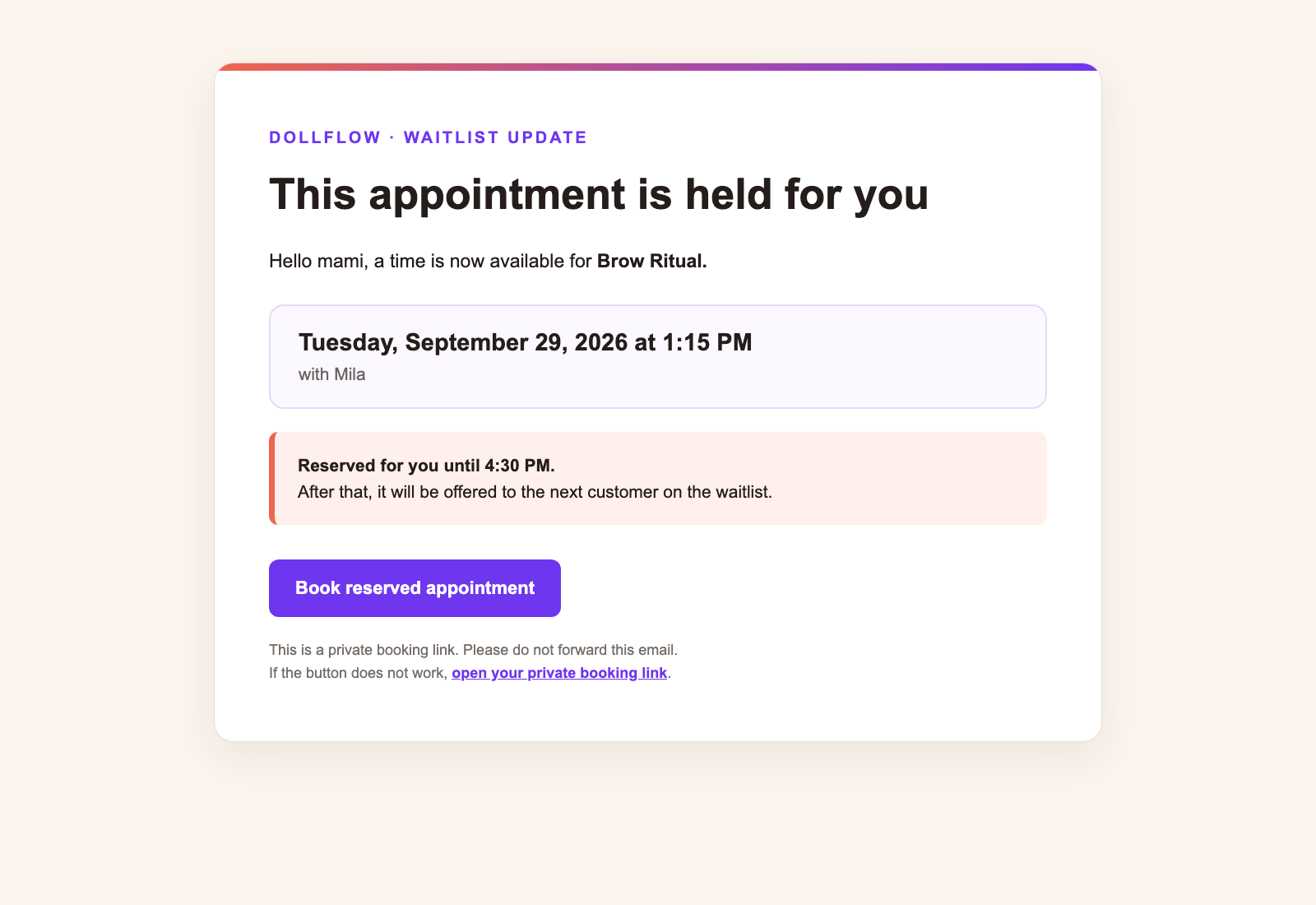
When no suitable time is available, a customer can join the waitlist for a service and date. If a matching booking is cancelled, Dollflow automatically offers the opening to the oldest compatible customer.
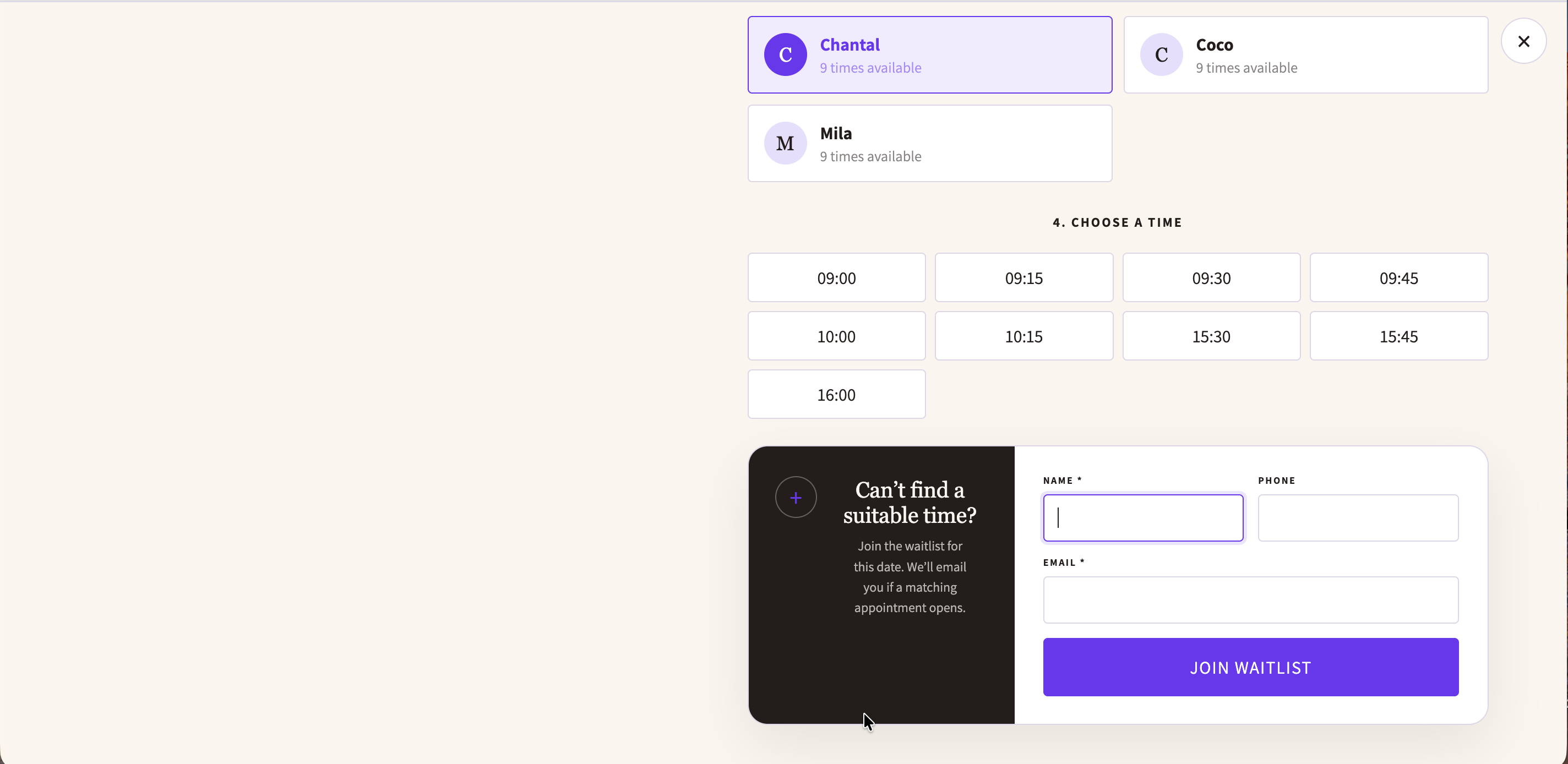
A 15-minute private holdThe opening is reserved for one customer for 15 minutes. If they do not book, it is automatically offered to the next compatible person.
5

Calendar and customer self-service

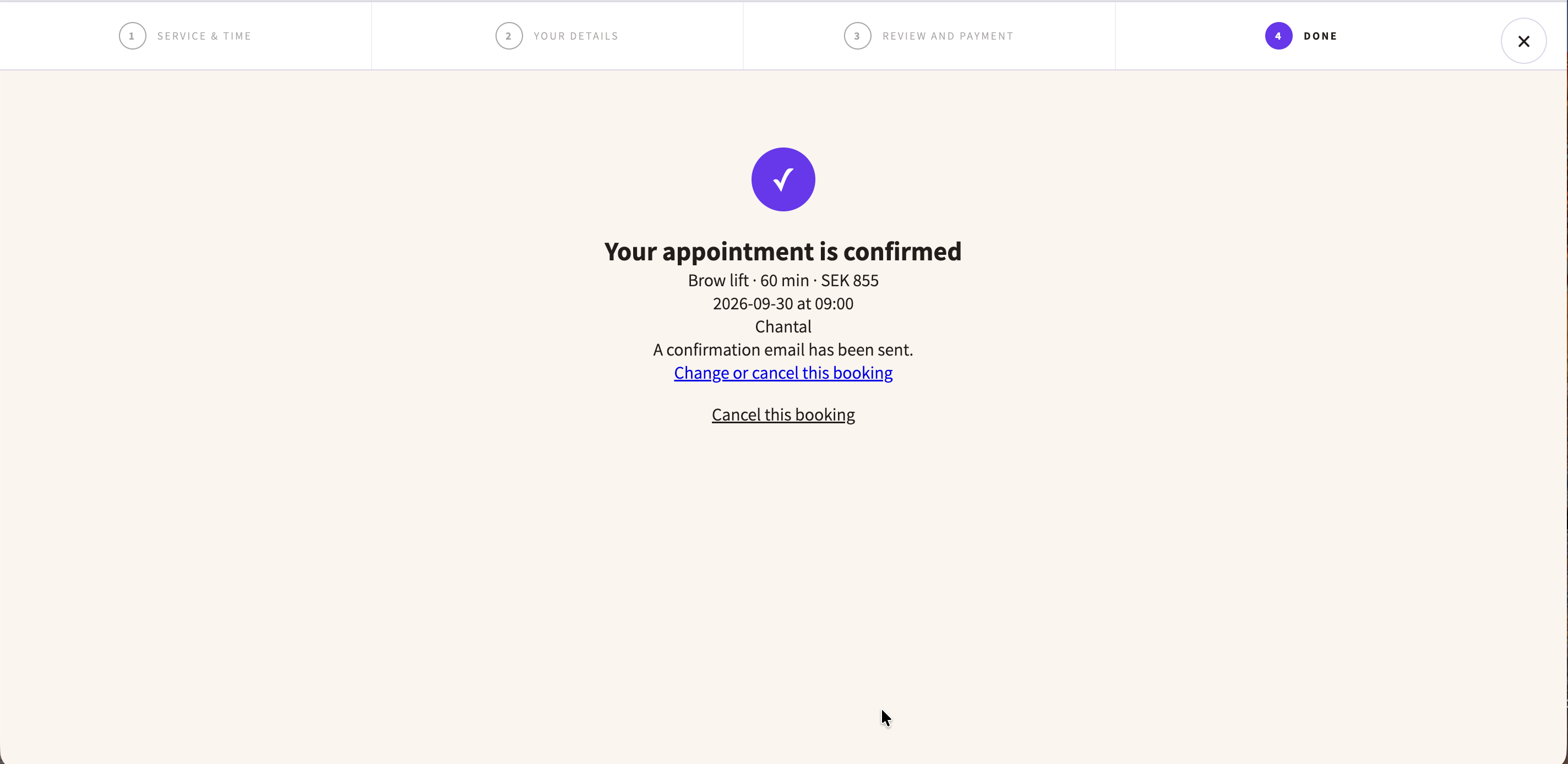
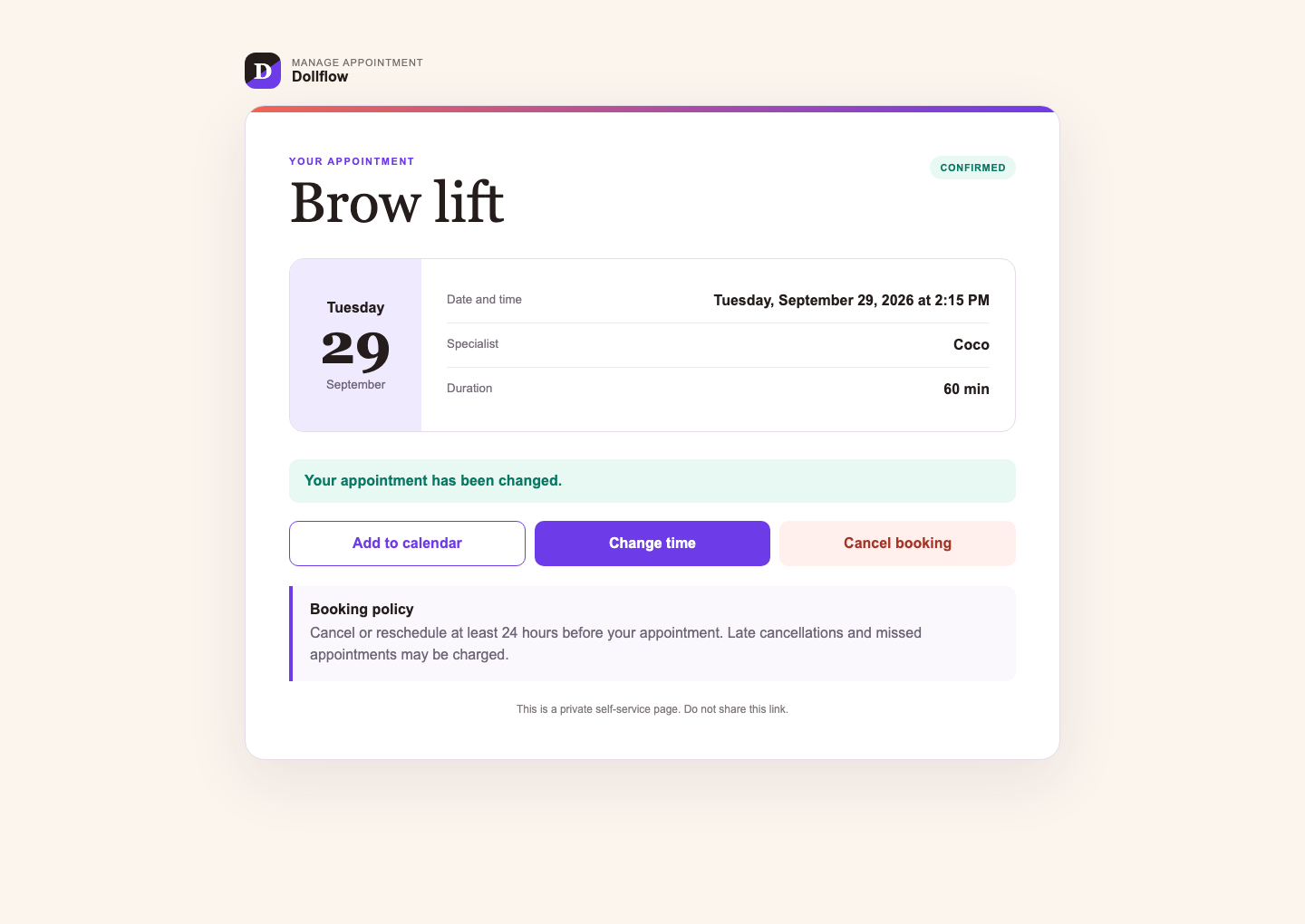
See appointments in Dollflow’s calendar and connect Google Calendar to block conflicts and create events. Confirmation emails include a secure management page where customers can review, reschedule or cancel within your rules.

Automatic messagesDollflow sends confirmation, reminder, cancellation, rescheduling and waitlist emails automatically.
Customer self-serviceThe private management page shows the appointment, policy and calendar options, plus Change time and Cancel booking when your cutoffs allow them.
Add to calendarCustomers can add the appointment to Google Calendar, Apple Calendar, Outlook and other calendar apps.
6

A polished mobile experience

Dollflow’s storefront booking flow, private self-service page and customer emails are designed for smaller screens with readable content, touch-friendly controls and one clear primary action at a time.
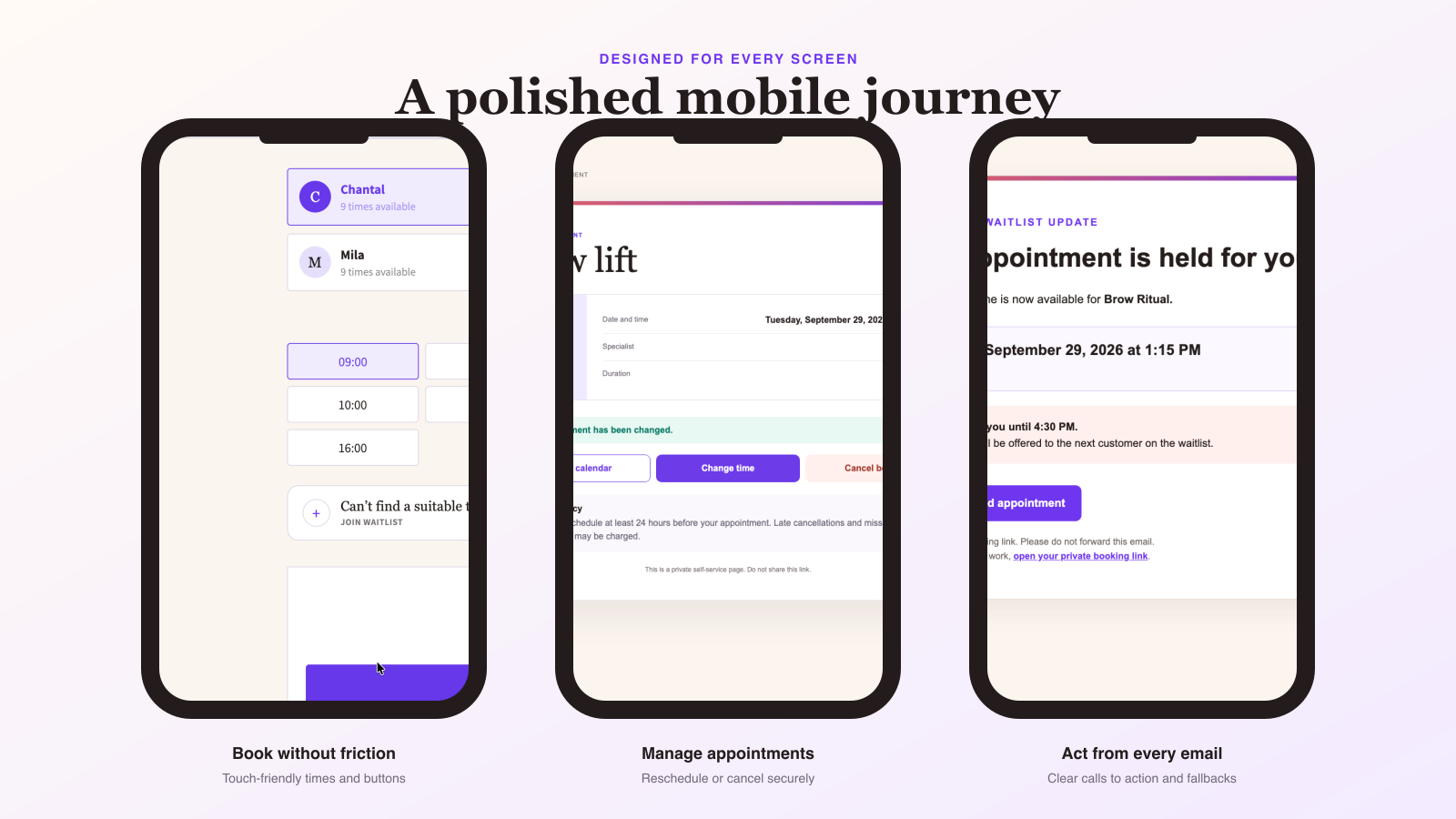
Booking on a phoneServices, dates, specialists and times stack into a focused journey without competing actions.
Self-service on the goCustomers can add an appointment to their calendar, change the time or cancel from the secure page.
Emails that remain usableImportant appointment details, expiry notices and booking buttons stay prominent on mobile email clients.
7

Analytics and accountant exports

Review bookings, completions, cancellations, monthly revenue, outstanding balances and waitlist performance. Export practical payment reports and archive completed months.
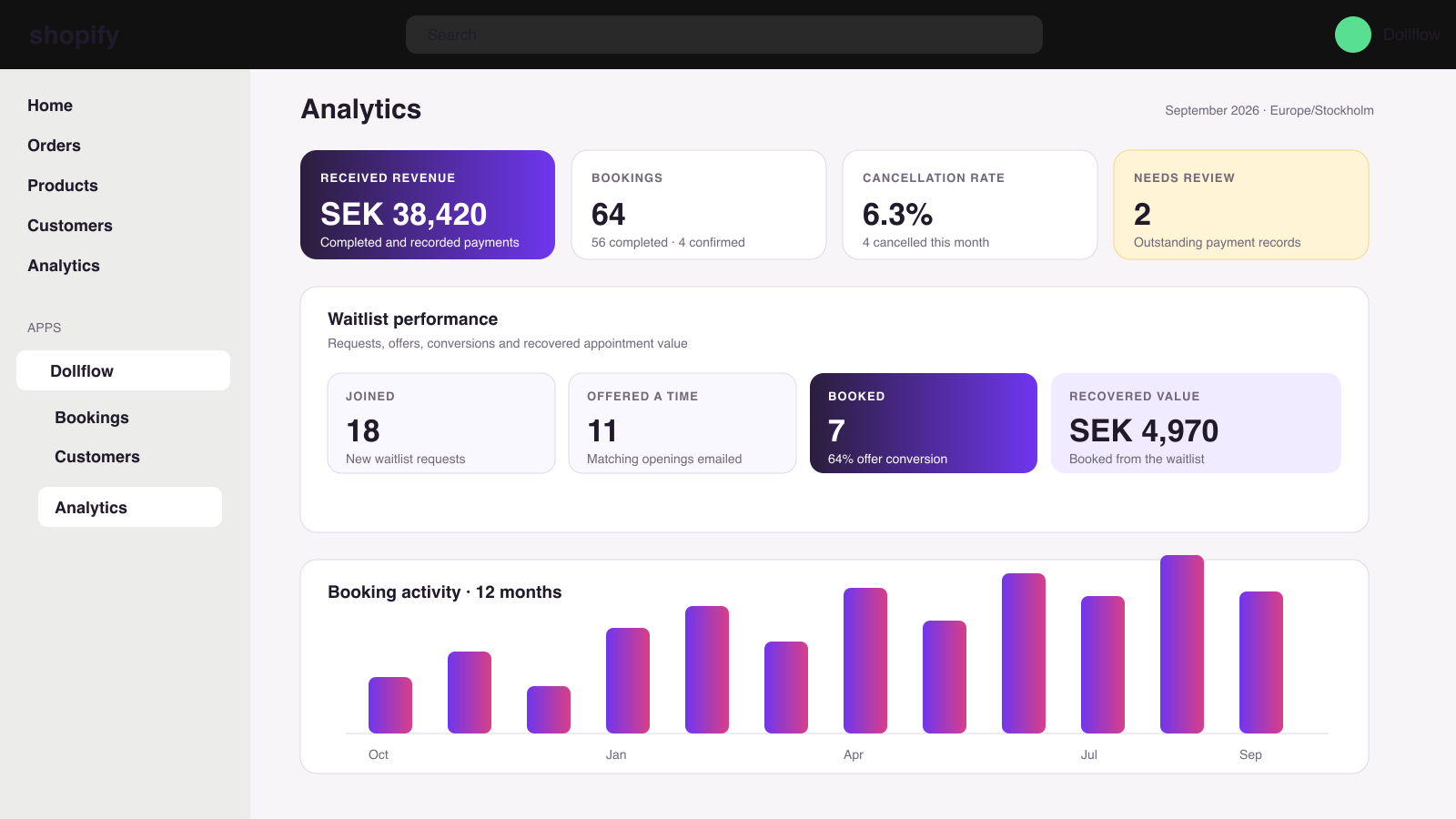
Built for operational clarityPayment review warnings keep incomplete records out of received totals, while the waitlist funnel shows requests, offers, conversions and recovered revenue.
8

Membership cards and credits

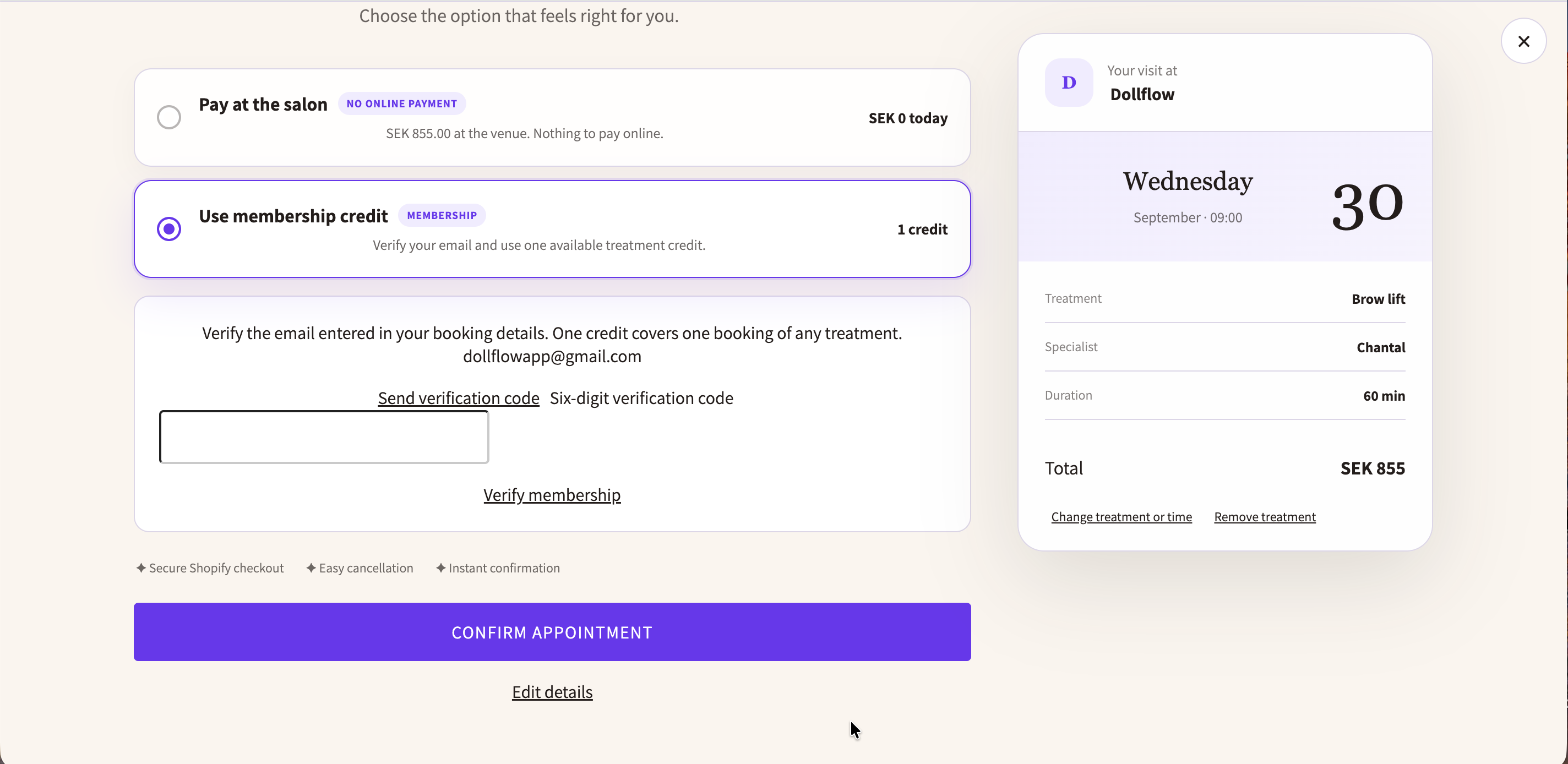
Create or connect a Shopify membership product. After Shopify confirms payment, Dollflow issues the correct credits exactly once and emails the customer automatically.

Automatic fulfilmentA paid membership order creates Dollflow credits without manual work.
Manual credits when neededIssue complimentary or externally purchased cards directly from Dollflow.
One visit, one creditA booking uses one credit. Eligible cancellations return it once; no-shows do not.
9

Languages and plans

Dollflow supports English, Swedish, German, French and Spanish across the admin, storefront booking flow and customer emails.

Language support is available on every plan.It is a general Dollflow feature—not limited to a paid tier.
Free

Start testing Dollflow with the essential booking workflow.

Basic

For a growing business that needs more booking capacity.

Starter

The complete operational toolkit for an established schedule.

Plan limits can differ, but the available language choices are the same on Free, Basic and Starter.

Dollflow Appointment support

Need help?

Tell us what you were trying to do and include a screenshot if something does not look right.